
WordPress
10 Reasons WordPress Is a Great Choice for Your Website
13 min read · 29 August 2026
Planning a WordPress website? Explore 10 practical benefits, from easy updates and WooCommerce to SEO and growth, plus when WordPress may not be the right fit.
Introduction
Your content management system (CMS) is the software you use to run your website day to day. It decides how easily you can edit a page, publish an article, add a product, or introduce a new feature when your business changes.
Choose a CMS that does not fit, and small jobs become slow and expensive. You may end up waiting on a developer to fix a typo, paying for a rebuild when you want to start selling online, or working around limits that were not obvious at the start.
WordPress is a popular choice for business websites, blogs, portfolios, and online stores. Below are 10 practical reasons a WordPress website can be a strong fit, along with the trade-offs worth knowing before you decide.
What Is WordPress?
WordPress is an open-source content management system. In simple terms, it is free software that lets you build a website and manage its pages, blog posts, images, and settings from an admin dashboard in your browser.
There are two versions that people often confuse. WordPress.org is the self-hosted software you install on your own hosting account, which gives you full control over design, plugins, and data. WordPress.com is a hosted service run by Automattic, where the features available depend on your plan. When developers talk about WordPress development for business websites, they usually mean the self-hosted version, and that is what this article covers.
WordPress runs on PHP with a MySQL or MariaDB database, which most web hosting companies support out of the box.
1. Easy Website Management
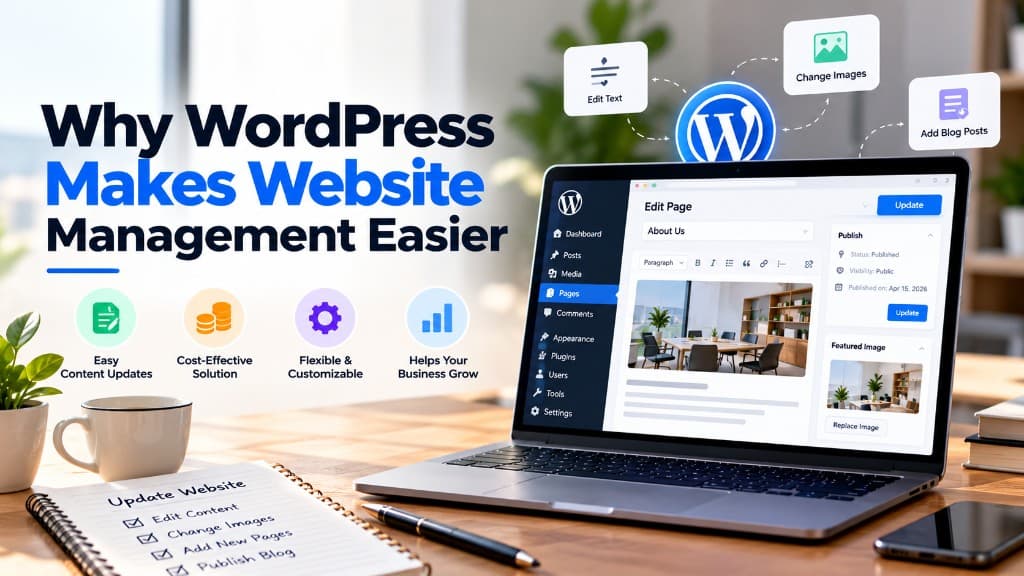
Once a WordPress website is set up, most everyday changes happen in the dashboard. You log in, open a page, and edit it in the block editor, which shows text, images, buttons, and columns roughly as visitors will see them.
This means you or a team member can update opening hours, swap a team photo, change a price on the services page, or fix a spelling mistake in a few minutes, without writing code or waiting for a developer.
For example, a clinic can update its holiday timings before a festival weekend, or a consultancy can publish a new service page on the same day it launches the service.
The limitation: how easy it feels depends on how the site was built. A clear setup with sensible page templates is simple to manage, while a site packed with complicated layouts and settings can be confusing. First-time users also need a little time to learn the dashboard, and bigger changes, such as a new page layout or a custom feature, usually still need a developer.
2. Flexible Design and Customization
WordPress does not lock you into one look. You can start with a ready-made theme, design pages visually with a page builder such as Elementor, or have a custom theme built around your brand from scratch.
That range is useful because businesses need different things at different stages. A new startup might launch with a well-made theme and adjust its colors, fonts, and layouts. An established brand might want a custom design where every page matches its identity and existing marketing material.
Website customization also goes beyond appearance. With custom fields, a developer can create structured content, such as a property listing with price, location, and floor plan fields, so editors fill in a simple form instead of designing each page by hand.
The limitation: flexibility can be misused. Multipurpose themes and heavy page builders often load code your site never uses, which can slow pages down. A fully custom design avoids that, but it takes more time and budget to build.
3. SEO-Friendly Website Structure
WordPress gives you good control over the technical basics that search engines look for. You can set readable URLs such as /services/website-design instead of /?p=123, structure pages with proper headings, add alt text to images, and group related content into categories.
WordPress also generates an XML sitemap automatically, and SEO plugins such as Yoast SEO or Rank Math let you edit page titles and meta descriptions, set canonical URLs, and add structured data without touching code.
The limitation: WordPress gives you the tools, not the rankings. Search visibility depends on useful content, page speed, mobile usability, site structure, competition in your industry, and how other websites reference yours. No platform can guarantee a position on Google, and a green light in an SEO plugin does not mean a page will rank.
4. Responsive Website Experiences
Many visitors will arrive on a phone, so your site needs to work well on small screens as well as on tablets and desktops. Most modern WordPress themes are responsive, which means layouts adjust to the screen size automatically.
The block editor also lets you preview pages in desktop, tablet, and mobile views before publishing. Page builders and custom themes can go further, for example by stacking columns differently on mobile, hiding a large decorative image on small screens, or making buttons easier to tap.
A restaurant website is a good example. On desktop, the menu and food photos can sit side by side, while on mobile the call button and directions can appear first, because that is usually what people on the move need.
The limitation: a theme labeled "responsive" is a starting point, not a guarantee. Wide tables, large images, embedded videos, and custom layouts can still break on small screens, so every important page should be checked on real devices before and after launch.
5. E-commerce Capabilities with WooCommerce
WooCommerce is a free plugin that turns a WordPress website into an online store. It handles products, variations such as size and color, stock levels, shipping rules, taxes, coupons, and orders from the same dashboard you use for the rest of your site.
It connects to payment gateways through extensions, including options commonly used in India such as Razorpay, as well as international providers like Stripe and PayPal.
Because the store sits inside WordPress, your products, blog, and landing pages live in one place. A handmade jewelry brand, for example, could publish styling guides that link directly to the pieces mentioned, all managed from a single admin panel.
The limitation: an online store needs more care than a brochure website. It needs reliable hosting, an SSL certificate, regular backups, and careful testing after updates, because a broken checkout directly costs sales. Some features, such as subscriptions, advanced shipping, or bookings, need paid extensions. If you would rather have hosting and security fully handled for you, a hosted platform like Shopify may be the simpler choice.
6. A Large Plugin and Theme Ecosystem
The official WordPress directory lists thousands of free plugins and themes, and many more are sold by independent developers. Plugins add features to your site so you do not have to build them from scratch.
Common examples include:
- Contact and enquiry forms, such as Contact Form 7 or WPForms
- Scheduled backups, such as UpdraftPlus
- Caching and image optimization to help pages load faster
- Appointment booking, event calendars, and membership areas
- Multilingual content, such as WPML or Polylang
This saves time and money when your needs are common. A coaching business that wants online booking, for instance, can often add a reliable booking plugin instead of paying for a custom system.
The limitation: quality varies widely. A poorly maintained plugin can slow your site, conflict with other plugins, or create a security risk. Every plugin is extra code to update and monitor, so a few well-reviewed, actively maintained plugins are better than a new plugin for every small feature.
7. Scalability for Growing Businesses
A WordPress website can start small and grow with your business. You might launch with five pages, then add a blog, a careers section, case studies, a second language, or an online store as your needs change, without moving to a different platform.
WordPress also powers large, content-heavy websites with many authors and frequent publishing, which shows the software can handle growth when it is set up properly.
Think of a local interior design studio that starts with a portfolio site. A year later it adds a blog for project stories, and later a small shop for decor products. Each step builds on the same website instead of starting over.
The limitation: growth depends more on the setup than on WordPress itself. A site on cheap shared hosting with dozens of plugins will struggle as traffic increases. Scaling usually means better hosting, caching, a content delivery network (CDN), database care, and well-written theme code.
8. Cost and Budget Flexibility
The WordPress software is free to use, but a working website still has costs. Typically, you pay for:
- A domain name and web hosting
- Design and development work
- Premium themes or plugins, if your project needs them
- Ongoing website maintenance and support
The advantage is that you can match what you spend to your stage of business. A new business can launch a simple, well-built site and add features later when they are actually needed, instead of paying for everything upfront. You also keep control of your website files and content, so you are free to change hosting providers or developers.
The limitation: "free" can be misleading. Several premium plugins with yearly licenses add up over time, and a very cheap setup with low-quality hosting or a rushed build often costs more later in fixes and rebuilds. Plan a realistic budget that includes maintenance, not just the launch.
9. Security, Updates, and Maintenance
WordPress core is maintained by an active open-source community, and security fixes are released regularly. Minor security updates can install automatically, and plugins and themes can be updated from the dashboard.
In practice, good WordPress website maintenance includes:
- Keeping WordPress core, themes, and plugins up to date
- Taking regular backups and storing copies away from the main server
- Using strong passwords and two-factor authentication for admin accounts
- Choosing reputable hosting with an SSL certificate
- Removing plugins and themes you no longer use
- Testing important pages and forms after each round of updates
The limitation: WordPress security depends on how the site is configured and looked after. Because WordPress is so widely used, it is a common target for automated attacks, and most real problems come from outdated plugins, weak passwords, or poor hosting rather than from WordPress core. A site that is launched and then left alone for a year is at real risk, so if you do not have time to handle updates yourself, budget for a maintenance plan.
10. Content Management and Publishing
WordPress started as a blogging platform, and publishing is still one of its strengths. You can write and format articles, organize them with categories and tags, and keep your images and documents in a central media library.
It also supports everyday publishing workflows. You can schedule posts to go live at a set time, restore earlier versions of a page from its revision history, and give team members different roles. An Author can write and publish their own posts, an Editor can review and manage everyone's content, and only an Administrator can change site settings.
For more structured content, a developer can create custom content types such as case studies, team members, testimonials, or job openings. Each one gets its own section in the dashboard and a consistent layout on the site, so adding a new case study is as simple as filling in a form.
The limitation: WordPress makes publishing easy, but it does not plan your content for you. Without a clear structure, categories and tags can become messy, and the media library can fill up with large, unoptimized images. A little planning at the start keeps the site organized as it grows.
When WordPress May Not Be the Right Choice
WordPress is flexible, but it is not the best tool for every project. It may not be the right fit in these situations.
You need a simple page that rarely changes
If you only need a single page with your services and contact details, and you do not plan to update it often, a lightweight static HTML website can be faster to load and cheaper to look after.
You are building a complex web application
Products such as SaaS dashboards, booking engines with complex logic, or apps with real-time features are usually better built with a framework like React or Next.js and a purpose-built backend, rather than stretched out of a CMS.
You want an online store with minimal technical upkeep
Shopify takes care of hosting, security, and core updates in exchange for a monthly subscription. For sellers who want to focus on products and marketing, that trade-off can make more sense than running WooCommerce.
No one will maintain the website
A WordPress website needs regular updates and backups. If there is no time or budget for that after launch, a fully managed platform may be the safer option.
The right platform depends on your goals, budget, timeline, and who will manage the site after launch. Deciding based on those factors works better than choosing whatever is most popular.
Conclusion
WordPress is a strong choice for many business websites because it balances easy content updates, design freedom, a large ecosystem, and room to grow, including WooCommerce when you are ready to sell online.
Those strengths depend on getting the basics right: a sensible build, quality hosting, carefully chosen plugins, and regular maintenance. With those in place, a WordPress website can serve your business well for years.
If you are planning a new WordPress website or want to improve an existing one, I can help you work out whether WordPress suits your project and what it should include. Share your goals using the button below, and we can discuss the right approach for your budget and timeline.